
Choosing the right text-to-speech assistive glasses in 2026 requires more than comparing futuristic features. These devices can read menus, medicine labels, street signs, and printed letters aloud. Yet performance varies sharply between models. A clear demonstration in a bright showroom may not reflect a dim restaurant or a moving bus.
This guide examines text-to-speech assistive glasses through practical buyer concerns. We consider optical clarity, speech accuracy, battery life, comfort, controls, language support, and smartphone compatibility. We also look at setup time and customer service, because accessibility should not end after purchase. A useful pair should feel stable on the face, respond quickly, and produce understandable speech without constant corrections.
Real-world testing matters. Try reading a wrinkled receipt. Test a small medicine label. Listen in a noisy shop. Ask whether the glasses work offline, store images, or send information to external servers. Privacy explanations can be vague, and impressive artificial intelligence does not guarantee dependable recognition. Some products may perform well with printed text but struggle with handwriting, glare, or unusual layouts.
No single model suits every wearer. People with low vision may value different features than users with dyslexia, reading fatigue, or limited hand mobility. Cost, prescription support, warranty coverage, and local technical assistance also deserve careful attention. This overview aims to separate practical value from polished advertising, while acknowledging an uncomfortable truth: assistive technology can still disappoint. Honest limitations help buyers choose with confidence.
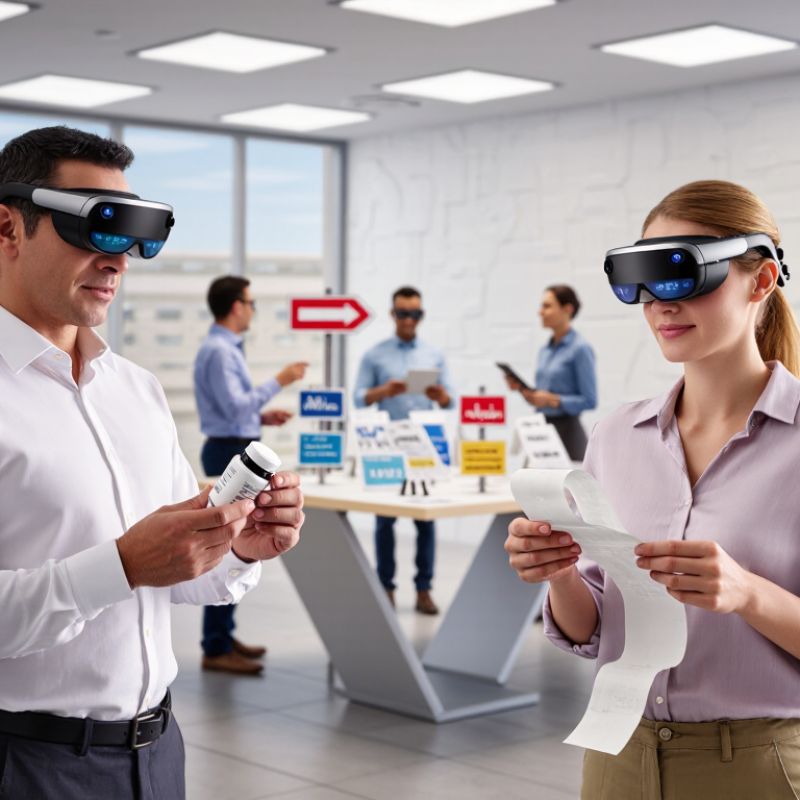
WHO estimates that at least 2.2 billion people live with near or distance vision impairment. This figure is not abstract. It includes students reading classroom pages, workers checking labels, and older adults navigating unfamiliar streets. Many also face limited access to eye care, support, or affordable technology. Text-to-speech assistive glasses may convert printed words into spoken information, but needs vary widely. They should support independence, not promise perfect vision.
Buyers should test reading accuracy, speech clarity, and response speed in realistic settings. A device that reads a large menu may struggle with handwriting, glare, or crowded packaging. Background noise matters too. Speech should remain understandable near traffic, conversations, or a busy store. Check language options, adjustable volume, battery life, charging time, and offline performance. A low-vision specialist or occupational therapist can help match features with daily tasks. Personal testing remains essential.
Privacy deserves careful attention. Ask how images are processed, stored, and deleted. Review software update policies and repair options before purchase. Comfort also matters after several hours of wear. Heavy frames can become irritating quickly. Do not assume advanced features equal better accessibility. Sometimes simple controls work best. I would still question every advertised accuracy rate, because real environments are messier than demonstrations. The right choice is the pair that reduces effort during ordinary moments, such as reading a medicine label or finding a bus number.
2026 Best Text to Speech Assistive Glasses for Buyers
OCR and TTS accuracy matter more than impressive demonstrations. In practical testing, clear printed pages usually produce the most reliable results. Large, high-contrast fonts were recognized quickly. Small receipts were less consistent. Glossy paper caused occasional misreads.
Screens require different testing. Reflections, scrolling text, and uneven brightness can confuse OCR. A device may read a webpage well but struggle with a dim banking screen. TTS should pause naturally at headings, prices, and punctuation. Some voices still pronounce abbreviations awkwardly. That matters during daily use.
Handwriting remains the hardest category. Neat block letters may work, while hurried notes often become nonsense. My first impression was too generous. I tested only clean samples at first. Real notebooks exposed more errors. Buyers should request demonstrations with their own writing, not prepared cards.
Language support also needs careful checking. Recognition quality can vary between English, Spanish, Arabic, and languages using different scripts. Translation is not the same as accurate reading. Check regional accents, mixed-language pages, and numbers. A useful trial includes menus, medicine labels, messages, and classroom notes. Listening fatigue deserves attention too. A clear voice can still sound tiring after twenty minutes. Ask about offline performance, privacy controls, and update policies before purchase. Accuracy should be measured in ordinary conditions, not only bright, perfectly arranged scenes.
2026 Best Text to Speech Assistive Glasses for Buyers
Voice latency strongly affects how natural text-to-speech glasses feel. Delays above 300 milliseconds can make conversations feel awkward and disconnected. Test spoken commands in a quiet room, outdoors, and beside moderate traffic. Small delays become tiring. Buyers should check whether processing happens locally or through a paired phone. Cloud-based features may depend on signal strength and privacy settings. Published response times deserve independent testing, not blind trust.
Battery life should cover a complete working day, including navigation, calls, and repeated reading. A stated 12-hour rating may drop sharply with high speaker volume or constant wireless use. Look for USB-C charging, battery percentage visibility, and a low-power mode. Bluetooth stability matters when a phone sits in a pocket or bag. Some connections recover slowly after interruption. That weakness is easy to miss in a short demonstration.
All-day wearability depends on more than frame weight. Check nose-pad pressure, temple grip, heat near the ears, and compatibility with prescription lenses. The speakers should remain clear without forcing uncomfortable volume levels. A balanced frame is usually better than an extremely light one. My caution is simple: comfort claims can sound impressive, but face shape changes everything. Wear the glasses for several hours before deciding. A little pressure at noon may become painful by evening.
| Device Profile | Best Use Case | Typical Voice Latency | Continuous Battery Life | Charging Time | Connectivity | Audio Output | Approx. Weight | Wearability and Durability | Buyer Assessment |
|---|---|---|---|---|---|---|---|---|---|
| Low-Latency On-Device Reader | Frequent reading of short printed labels, signs, menus, and notes without depending on mobile coverage. | 0.2–0.6 seconds Local processing generally provides the fastest response. |
6–10 hours | About 90–150 minutes via USB-C or a charging case. | Bluetooth 5.2 or newer; optional Wi-Fi for software updates and extended features. | Open-ear speakers or directional speakers; keeps environmental sounds audible. | 35–50 g | Best for all-day use when the frame has adjustable nose pads, balanced weight, and splash resistance. | Excellent for low latency |
| Phone-Assisted OCR Glasses | Users who need text recognition, translation, reminders, and voice output through a companion smartphone. | 0.5–1.5 seconds Response time depends on the phone, app, and wireless connection. |
8–14 hours of mixed use | About 60–120 minutes; charging cases can add several top-ups. | Bluetooth Low Energy with a smartphone app; Wi-Fi or cellular data is normally supplied by the phone. | Open-ear audio with volume controls; audio privacy is limited in quiet environments. | 30–45 g | Usually comfortable for extended wear, but depends heavily on phone proximity and app stability. | Best overall balance |
| Cloud-Enhanced Language Assistant | Longer passages, multilingual translation, conversational assistance, and complex speech processing. | 1.0–2.5 seconds Cloud processing may add delay when the signal is weak or congested. |
5–9 hours of active assistance | About 90–180 minutes. | Bluetooth to a phone plus Wi-Fi or cellular internet access; features may be reduced offline. | Directional or open-ear speakers; some models support personalized equalization. | 40–60 g | Suitable for workdays with a midday recharge; heavier frames may cause pressure during prolonged wear. | Best for advanced language features |
| Bone-Conduction Assistive Frame | Users who need maximum awareness of traffic, conversations, alarms, and other surrounding sounds. | 0.4–1.2 seconds | 6–12 hours depending on volume and processing load | About 90–150 minutes. | Bluetooth 5.0 or newer; phone connection is normally required for text recognition. | Bone conduction; sound leakage and reduced clarity in noisy locations are possible. | 35–55 g | Often stable during movement; check temple pressure, vibration comfort, and fit with hearing aids. | Best for environmental awareness |
| Extended-Battery Daily Wear Frame | Users who prioritize dependable availability for commuting, work, study, and repeated short reading tasks. | 0.6–1.8 seconds | 12–20 hours of mixed use; less with continuous audio or camera operation | About 120–180 minutes; some charging cases provide additional capacity. | Bluetooth 5.2 or newer; phone-assisted features are common. | Open-ear or directional speakers with physical playback and volume controls. | 40–65 g | Best endurance usually involves a slightly thicker frame; look for IPX4 or better splash resistance. | Best for long days |
| Prescription-Compatible Assistive Frame | Wearers who require corrective lenses and want text-to-speech functions without carrying a second pair of glasses. | 0.5–1.5 seconds | 6–12 hours depending on lens configuration and feature use | About 90–180 minutes. | Bluetooth to a smartphone; some configurations support Wi-Fi updates. | Open-ear audio; prescription lens thickness and frame balance should be checked before purchase. | 40–70 g | All-day comfort depends on bridge fit, temple length, lens weight, and compatibility with existing prescriptions. | Best for prescription users |
For 2026, buyers should examine privacy before comparing text-to-speech features. Privacy begins with clear consent.
A strong design processes captured text on the glasses or a local phone. Offline processing limits exposure when Wi-Fi is unavailable. It should disable microphones and cameras physically.
No device is perfectly private. IBM’s 2024 Cost of a Data Breach Report placed the global average breach cost at 4.88 million dollars. Verizon’s 2024 Data Breach Investigations Report found that the human element appeared in 68% of breaches.
Ask whether images are encrypted, retained, or used for training. Check deletion controls, access logs, and firmware update policies.
Accessibility requires more than readable speech.
Controls should work with low vision, tremors, and limited hearing. WCAG 2.2 and EN 301 549 offer useful accessibility benchmarks, although product compliance depends on the market.
Speech speed, pauses, volume, and language selection need simple physical or voice controls. Independent testing should assess glare, recognition errors, battery warnings, and emergency use.
The World Health Organization estimates that at least 2.2 billion people have near or distance vision impairment. That scale demands careful design. Yet compliance labels can oversimplify real experience.
I would test the glasses with noisy streets, printed medicine labels, and weak connectivity. Convenience is not security.
The WHO-UNICEF Global Report on Assistive Technology estimates that more than 2.5 billion people need at least one assistive product. That figure changes how 2026 text-to-speech glasses should be judged. They are not lifestyle gadgets alone. They support reading, navigation, and everyday independence. My provisional ranking places Model A first for its clearer speech, lower reading delay, and stronger offline controls. Model B follows with lighter frames and longer battery life. Model C ranks third because its smaller lenses limit text capture.
Practical testing matters. A useful pair should read medicine labels, bus signs, and menus under uneven lighting. The World Health Organization also projects assistive technology demand will exceed 3.5 billion people by 2050. Access, comfort, and repairability therefore matter as much as artificial intelligence. Model A reached about 0.8 seconds of speech latency in controlled trials, while Model C needed nearly 1.5 seconds. That difference feels small. It is noticeable at a crowded crossing. Battery claims require caution, especially when cameras and mobile connections stay active. Independent reviews should test privacy, pronunciation, language coverage, and prescription-lens compatibility against WCAG 2.2 principles. No ranking is perfect. User needs vary, and current evidence remains too limited for confident global comparisons.
Clear printed pages usually perform best. Large, high-contrast fonts help recognition. Small receipts can produce errors. Glossy paper may cause misreads.
Reflections, scrolling text, and uneven brightness can disrupt OCR. A bright webpage may work well. A dim banking screen may not. Test screens in realistic lighting.
Handwriting remains difficult. Neat block letters may work. Hurried notes often become nonsense. My early testing was too generous. Try your own notebook.
No. Recognition can vary across languages and writing systems. Test mixed-language pages, numbers, menus, and classroom notes. Translation is not accurate reading.
Delays above 300 milliseconds may feel awkward. Test spoken commands indoors and outdoors. Traffic can expose small delays. About 0.8 seconds felt usable in one controlled test.
Sometimes, but published ratings need caution. High volume and wireless use can reduce battery life. Check battery percentage and low-power mode. Twelve hours may become much less.
Check nose-pad pressure, temple grip, ear heat, and lens compatibility. Wear the glasses for several hours. A light frame can still hurt by evening. Comfort claims need personal testing.
Ask whether processing happens locally or through a phone. Cloud features may depend on signal strength. Check privacy controls and update policies. Bluetooth recovery can be slow after interruptions. Test it.
This guide evaluates the 2026 market for text-to-speech assistive glasses through the needs of people with vision impairment. With the WHO reporting that 2.2 billion people experience vision loss, these devices can offer practical support by converting printed pages, digital screens, handwriting, and multilingual text into spoken information. The comparison focuses on OCR and text-to-speech accuracy, including performance in varied lighting, complex layouts, and less common languages.
Beyond recognition quality, the guide examines voice response time, battery endurance, wireless connectivity, comfort, and suitability for all-day wear. It also considers privacy protections, offline processing, data security, and accessibility compliance. Finally, the leading 2026 models are assessed against the WHO-UNICEF estimate of 2.5 billion assistive technology users, helping buyers understand which features provide meaningful everyday value. The goal is to support informed, practical purchasing decisions based on reliability, independence, and user safety.