
Sprhava AI-Powered Vision
An AI visual impairment navigation aid uses cameras, sensors, and software to help a person interpret nearby surroundings. It may describe a doorway, identify a crosswalk signal, or warn about an obstacle at foot level. The aim is practical: offer useful information while someone moves through a street, station, or unfamiliar building. Not a replacement for a cane, guide dog, or orientation and mobility training.
The need is substantial. The World Health Organization’s World Report on Vision (2019) estimated that at least 2.2 billion people worldwide have near or distance vision impairment; at least 1 billion cases were preventable or remained unaddressed. WHO and UNICEF’s Global Report on Assistive Technology (2022) also estimated that more than 2.5 billion people need one or more assistive products, with nearly 1 billion lacking access. These figures describe broad needs, not demand for any single navigation device. That distinction matters.
A useful aid must do more than recognize objects in a clean demonstration. It should communicate clear, timely cues, work across changing light and crowded spaces, and avoid distracting the user with constant alerts. Performance can vary. A camera may miss a low obstacle, and speech output may be hard to hear beside traffic. Those are not minor details; they affect trust and safety. This guide explains what these systems are, how their core features work, and what limitations to consider before choosing one. The technology is promising, but it still needs careful testing in real settings.
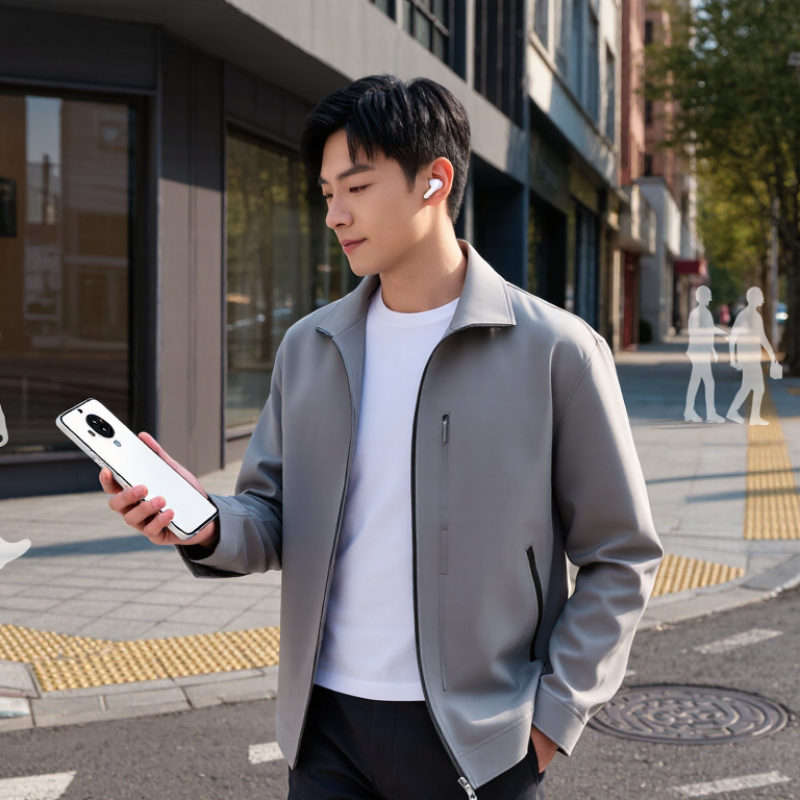
AI navigation aids combine cameras or other sensors with software that interprets nearby scenes. They may describe a doorway, identify a curb, or read a sign aloud through a phone or wearable device. In plain terms, they turn visual information into spoken or tactile cues. The World Health Organization’s World Report on Vision estimates that at least 2.2 billion people have near or distance vision impairment; at least 1 billion cases could have been prevented or remain unaddressed. That scale makes dependable access tools important, but technology alone is not access.
A navigation aid might announce “stairs ahead” while a cane checks the ground directly. Some systems use GPS for broad directions, then camera-based recognition for nearby objects. Results depend on lighting, camera angle, network access, and the quality of the data used to train the system. A rainy sidewalk can confuse a sensor. AI may also miss a temporary barrier. It should support, not replace, established mobility skills or orientation training. This matters in real streets, where a wrong cue can be stressful.
Tips: Charge the device and test its audio or vibration settings before leaving. Pair it with familiar mobility methods, and pause when a cue feels uncertain. Practice on a safe, familiar route with an orientation and mobility professional. Small checks help. No tool is perfect.
| What Is an AI Visual Impairment Navigation Aid? — Definition: How AI Navigation Aids Support People With Visual Impairments | |||
|---|---|---|---|
| Dimension | What It Means | How It Can Support Navigation | Important Consideration |
| Definition | An AI visual impairment navigation aid is a digital tool that uses sensors and software to interpret selected information about a person’s surroundings or route. | It can communicate useful cues through spoken guidance, sound, or vibration to help a user make informed travel decisions. | It is an assistive aid, not a replacement for orientation and mobility skills, a white cane, or a guide dog. |
| Computer vision | A camera captures images or video, and AI models may identify objects, signs, people, or other visible features. | The system may describe a detected object or indicate that a feature of interest appears in the camera view. | Detection can be affected by lighting, camera position, image quality, and the model’s ability to recognize a scene. |
| Text recognition | Optical character recognition (OCR) converts text in an image into machine-readable text. | Recognized text may be read aloud, such as a sign, label, or printed notice. | Small, blurred, angled, or poorly lit text may not be recognized accurately; important information should be verified when possible. |
| Route guidance | Some aids use location services and digital maps to provide directions between places. | Turn-by-turn prompts can help a user follow a planned route, particularly where location data and map coverage are available. | Location accuracy can vary, especially indoors or near tall buildings, and map information may not reflect temporary changes. |
| Obstacle information | Camera-based or other sensor-based features may identify selected obstacles or changes in the nearby environment. | Audio or haptic alerts can draw attention to detected objects or potential hazards. | These systems may miss hazards or provide late or inaccurate alerts; users should not rely on them as the sole means of obstacle detection. |
| Output and interaction | Information can be delivered through speech, tones, vibration, or accessible controls. | Audio can convey descriptive guidance, while vibration can provide discreet directional or alert cues. | Audio prompts may compete with surrounding sounds, so interaction settings should suit the user and environment. |
| Connectivity and power | Features may depend on a device’s battery, sensors, maps, or an internet connection. | Connected services can provide updated information or remote processing for some tasks. | Availability varies by tool; users should check offline behavior, battery life, and what happens if a connection is lost. |
| Best-use approach | AI navigation aids provide supplementary information tailored to particular tasks and settings. | They can help with tasks such as checking a sign, finding a destination, or understanding selected visual details. | Suitability varies by person and context. Training and practice can help users understand a tool’s capabilities and limitations. |
It uses a camera and software to describe nearby obstacles, pathways, signs, or landmarks.
It may speak short directions, such as “obstacle ahead, slightly left,” or signal with gentle vibrations.
They can help when traffic or station noise makes spoken instructions hard to hear. Small cues can matter.
No. It should support a person’s existing strategies, not replace them.
Dim light, glare, crowds, and blocked camera views can lead to missed or incorrect descriptions.
No device makes every route safe. Cues may arrive late or conflict with surrounding sounds and sensations.
Try its settings on familiar paths first. Pause if its guidance seems uncertain.
The World Health Organization estimates that 2.2 billion people have near or distance vision impairment. Individual needs still differ.
An AI visual impairment navigation aid is a technology designed to help people with limited or no vision understand nearby surroundings and move through them with greater confidence. The need is significant: the World Health Organization estimates that 2.2 billion people worldwide have some form of vision impairment. These aids typically combine cameras and other sensors with artificial intelligence, which analyzes information such as obstacles, pathways, and nearby objects.
The system can communicate useful guidance through spoken audio or haptic cues, such as vibrations, helping a user notice changes in the environment and choose a safer direction. However, its guidance may be limited by conditions such as poor visibility, crowded spaces, or unexpected hazards. An AI visual impairment navigation aid is best viewed as a supplementary tool, not a replacement for mobility skills, a cane, or other established safety practices.