
newspaper Insights & Updates

Blog & Vision Tech News

Explore articles, research updates, and stories on AI-powered vision technology for low-vision and blind users.

0%

Choosing visual assistive technology devices in 2026 requires more than comparing prices or magnification levels. The right device should fit a person’s daily routines, visual needs, environment, and confidence with technology. A pocket magnifier may help in a supermarket, while OCR glasses could read a medicine label aloud. A desktop video magnifier may work better for extended reading. Small details matter.

Sir Tim Berners-Lee, a leading accessibility authority, said, “The power of the Web is in its universality. Access by everyone regardless of disability is an essential aspect.” His principle applies directly to visual assistive technology devices. Accessibility should feel practical, reliable, and respectful. This guide will examine screen magnification, text-to-speech, OCR accuracy, contrast controls, battery life, portability, comfort, and customer support. It will also consider compatibility with phones, computers, and existing low-vision tools.

Real use reveals more than product brochures. A device that performs well in a quiet office may struggle in a crowded train station. Bright sunlight can weaken screen visibility. Small buttons can frustrate users with limited dexterity. Training may be necessary.

No choice is perfect.

Some recommendations may depend on personal preference, budget, or changing eyesight. That uncertainty deserves honest attention. Readers should test devices whenever possible, consult qualified vision professionals, and review return policies before purchasing. The most suitable option is not always the newest model. It is the device that supports safer, more independent tasks with the least daily friction.
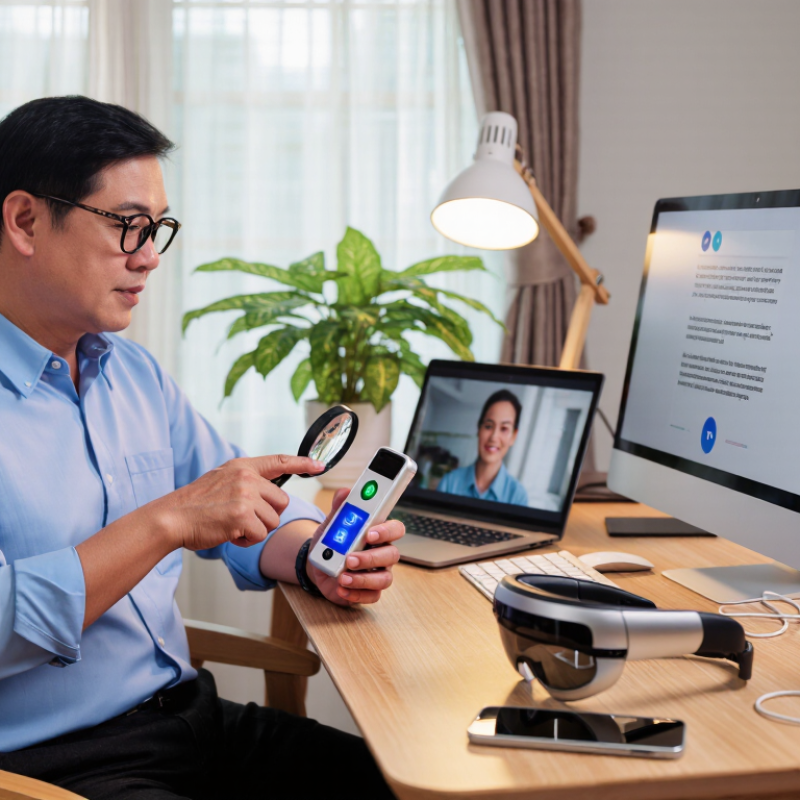
How to Choose Visual Assistive Technology Devices in 2026

Understanding Visual Assistive Technology and Its Main Uses

Visual assistive technology helps people with low vision read, move safely, communicate, and manage daily tasks. The World Health Organization estimates that at least 2.2 billion people have near or distance vision impairment worldwide. Its World Report on Vision also notes that many cases could have been prevented or remain unaddressed.

Common devices include electronic magnifiers, screen-reading software, text-to-speech tools, high-contrast displays, wearable cameras, and navigation aids. Their main uses are practical. A student may enlarge a worksheet on a tablet. An older adult may hear medicine labels aloud. A worker may use speech output for emails or magnification for spreadsheets. Someone walking outdoors may need stronger contrast, obstacle alerts, or clearer tactile feedback.

Choosing a device should begin with a functional assessment, not a product list. An eye-care professional or low-vision specialist can examine visual acuity, contrast sensitivity, field loss, lighting needs, and hand control. The user should test the device in real settings, such as a kitchen, classroom, bus stop, or office. The WHO and UNICEF Global Report on Assistive Technology, published in 2022, reports that more than 2.5 billion people need assistive products, with demand expected to exceed 3.5 billion by 2050. No checklist is perfect. A powerful magnifier can still fail under glare, and voice tools may misunderstand quiet speech. Cost, training, repair access, privacy, and comfort also deserve careful review before choosing visual assistive technology in 2026.

How to Choose Visual Assistive Technology Devices in 2026

Understanding Visual Assistive Technology and Its Main Uses

Global vision-need estimates can help guide device selection. Magnification tools are commonly used for mild or moderate vision impairment, while screen readers, optical character recognition, and audio-based devices are more suitable when reading standard text is difficult or impossible. The best choice also depends on contrast sensitivity, field of vision, lighting, mobility needs, digital skills, and the user’s preferred tasks.

Data source: World Health Organization and global vision-impairment estimates published in the Lancet Global Health. Values are worldwide estimates in millions and are presented as separate vision-need categories; near-vision impairment may overlap with distance-vision categories.

Assessing Vision Needs, Daily Tasks, and User Preferences

How to Choose Visual Assistive Technology Devices in 2026

Assessing vision needs should begin with real situations, not device advertisements. A recent eye examination can identify acuity, contrast sensitivity, glare problems, and visual field loss. A vision rehabilitation specialist can explain how these findings affect reading, mobility, cooking, or medication management. Carry a short task diary. Note the print size, lighting, distance, and time needed for each activity.

Daily routines reveal practical requirements. Someone reading bills may need adjustable magnification and strong contrast. A person crossing busy streets may need clearer distance vision without blocking surrounding movement. At home, voice guidance can reduce visual strain, but it may feel inconvenient in quiet shared spaces. Test devices with actual labels, screens, and room lighting. Store demonstrations are useful, yet they rarely reflect a dim kitchen or a moving bus.

User preference matters as much as clinical suitability. Consider weight, buttons, charging habits, privacy, appearance, and hand strength. A technically powerful device can remain unused if it feels awkward. Too many functions may create confusion. Keep it simple. Ask whether the user prefers speech, enlarged text, tactile controls, or a combination. Trial periods help expose weaknesses, although they do not guarantee long-term comfort. No assessment is perfect. Recheck needs after changes in vision, medication, or daily routine.

Comparing Device Types, Features, and Accessibility Options

Choosing visual assistive technology in 2026 requires matching the device to a person’s daily tasks, not just their diagnosis. The World Health Organization reports that at least 2.2 billion people live with vision impairment globally. Its 2022 Global Report on Assistive Technology estimates that more than 2.5 billion people need assistive products. These figures show why device choice must remain practical and inclusive.

Electronic magnifiers suit users who need enlarged print, strong contrast, and adjustable lighting. Portable models help with menus, medicine labels, and bus schedules. Screen readers support longer digital tasks, while optical character recognition can turn printed pages into speech. Refreshable braille devices offer precise reading and writing, but they require training and compatible software. Audio is useful. It is not always enough.

Compare magnification levels, speech speed, tactile controls, battery life, weight, and offline access. Check whether settings include color filters, high-contrast modes, large icons, caption support, and keyboard navigation. The Web Content Accessibility Guidelines remain a useful reference for digital compatibility. A trial with an occupational therapist, low-vision specialist, or rehabilitation professional can reveal problems hidden in product specifications. Privacy also matters when cameras process documents. A neat comparison is tempting, but it can mislead. Some users may prefer two simple devices instead of one expensive, complicated system. Even expert recommendations need review after real use.

Checking Compatibility, Training Needs, Costs, and Support

Choosing visual assistive technology in 2026 requires more than comparing features. Check whether the device works with your phone, computer, operating system, and accessibility settings. A magnifier may display sharp text but struggle with glare, small controls, or low battery levels. Test real materials, such as medicine labels, bus timetables, and handwritten notes. Compatibility failures often appear after purchase.

Training needs deserve equal attention. Ask whether instruction includes practice at home, not only a short demonstration. A low-vision specialist or occupational therapist can observe reading distance, lighting preferences, and hand movement. Some users need only one session; others need repeated guidance. Be honest about confidence. A technically excellent device may remain unused in a drawer.

Tips: Calculate the full cost, including cases, chargers, replacement parts, software, repairs, and travel for service. Ask about warranty length, response times, accessible manuals, and remote support. Confirm whether help is available in your language. Request a trial period if possible. Write down two daily tasks before choosing. I once underestimated setup time when evaluating similar equipment. That mistake matters. The best choice is not always the most advanced option.

How to Choose Visual Assistive Technology Devices in 2026 - Checking Compatibility, Training Needs, Costs, and Support

Typical planning information for 2026. Prices are indicative USD ranges and vary by configuration, region, accessibility funding, taxes, and service agreements.
Device Category Typical Use Compatibility Checks Approximate Cost Initial Training Need Ongoing Support Considerations
Handheld Optical Magnifier Reading labels, menus, medication packaging, and short printed materials. No operating-system requirement. Check magnification range, lens quality, lighting, weight, and grip comfort. Approximately US$10–US$100. Usually less than 1 hour; users may need practice with focal distance and lighting. Low maintenance. Replaceable batteries or built-in lighting should be checked before purchase.
Electronic Handheld Magnifier Variable magnification for books, photographs, forms, and objects at close range. Check display size, battery runtime, charging connector, freeze-frame or capture functions, and accessibility of controls. Approximately US$200–US$1,200. About 1–3 hours for magnification modes, contrast settings, and charging procedures. Confirm firmware update procedures, battery replacement policy, warranty length, and repair availability.
Desktop Video Magnifier Extended reading, handwriting, crafts, studying, and viewing photographs at a desk. Check desk space, monitor connections, camera movement, refresh rate, contrast modes, and compatibility with external screens. Approximately US$1,000–US$4,500. About 2–6 hours, including camera positioning, magnification, color modes, and reading-line controls. Prioritize local servicing, replacement cables, technical documentation, and training for posture and ergonomic setup.
Screen Magnification Software Magnifying documents, applications, websites, and operating-system interfaces. Verify the supported operating system, graphics hardware, display scaling, browser compatibility, and remote-desktop behavior. Approximately US$0–US$900, depending on licensing and advanced features. About 2–8 hours for magnification levels, panning, focus tracking, shortcuts, and color preferences. Check license transfer rules, update frequency, accessibility of customer support, and compatibility after operating-system upgrades.
Screen Reader Software Non-visual access to documents, websites, email, forms, and mobile or desktop applications. Check operating-system support, browser behavior, application accessibility, speech-engine options, keyboard access, and file formats. Approximately US$0–US$1,500, depending on platform and license model. About 10–30 hours for navigation commands, web controls, document reading, and efficient keyboard use. Ongoing practice is important. Confirm training resources, scripting support, update policies, and workplace application compatibility.
Text-to-Speech and OCR Reader Reading printed pages, mail, menus, receipts, and short documents aloud. Check supported languages, camera requirements, offline operation, document layout recognition, and export options. Approximately US$0–US$3,500. About 2–8 hours for positioning pages, correcting OCR errors, changing voices, and saving or sharing text. Ask about software updates, cloud privacy, data retention, battery service, and support for non-standard layouts.
Refreshable Braille Display Braille reading and writing for education, employment, coding, note-taking, and private information access. Check screen-reader support, Bluetooth or USB connectivity, Braille tables, cell count, keyboard layout, and mobile compatibility. Approximately US$1,000–US$6,000. About 15–40 hours for Braille commands, navigation, contractions, and integration with target devices. Check technical repair capacity, replacement cells, battery service, firmware support, and availability of advanced Braille training.
Wearable Visual Assistance Device Hands-free text recognition, object identification, scene descriptions, or navigation assistance. Check smartphone operating system, companion application, internet dependence, camera permissions, connectivity, and privacy controls. Approximately US$500–US$4,000, often with optional service fees. About 4–12 hours for gestures, voice commands, camera positioning, navigation, and safe use in public settings. Review subscription terms, cloud-processing policies, software support period, charging requirements, and replacement procedures.
Smartphone or Tablet Accessibility Features Basic magnification, spoken feedback, enlarged text, contrast adjustment, and camera-based reading. Check the device's operating system, available storage, battery health, accessibility settings, and app permissions. Approximately US$0–US$1,500, excluding optional apps and accessories. About 2–10 hours, depending on the number of features and the user's previous smartphone experience. Keep backups current, review privacy permissions, install security updates, and confirm that accessibility settings remain after upgrades.

Selecting, Testing, and Updating the Most Suitable Device in 2026

How to Choose Visual Assistive Technology Devices in 2026

Selecting a visual assistive device should begin with the user’s daily tasks, not a product catalogue. The World Health Organization reports that at least 2.2 billion people have near or distance vision impairment. The WHO and UNICEF Global Report on Assistive Technology also estimates that more than 2.5 billion people need assistive products worldwide. These figures show broad demand, but personal needs still vary greatly. A reading magnifier may help with medicine labels, while screen enlargement may suit digital work. In practice, a perfect first choice is unlikely.

Test devices in realistic settings. Try printed menus, small text, bright windows, and dim rooms. Record reading speed, eye strain, portability, and battery performance. A low-vision specialist or occupational therapist can assess contrast sensitivity, lighting needs, and hand control. Ask for a trial period, if available. Do not rely only on a brief shop demonstration. That approach can mislead.

Tips: Start small. Bring familiar materials to every test. Check accessibility settings before buying extra equipment. Compare total costs, including repairs, training, and software updates. Review the device every six to twelve months, especially after changes in vision, work, or medication. Some users may need fewer features, not more. I would also document what failed during testing; inconvenient details often reveal the most suitable update.

FAQS

What is visual assistive technology?

It includes tools that enlarge text, read screens aloud, improve contrast, or provide tactile feedback. These tools support reading, movement, communication, and daily tasks. Audio helps. It cannot solve every visual problem.

Which device may help with printed materials?

An electronic magnifier can enlarge medicine labels, menus, worksheets, and bus schedules. Adjustable lighting and contrast can make letters clearer. Glare may still defeat it. Test it beside a window and under indoor lights.

When is a screen reader useful?

Screen readers support longer digital tasks, including emails, documents, and web pages. Text-to-speech can also read scanned print through optical character recognition. Quiet speech may be misunderstood. Keyboard navigation and compatible software matter.

Should a device match a diagnosis or daily task?

Daily tasks should guide the choice. A student may need enlarged worksheets, while a worker may need speech output for spreadsheets. Someone outdoors may need obstacle alerts and stronger contrast. A diagnosis alone is too broad.

How should a person test visual assistive technology?

Test it in real places, such as a kitchen, classroom, office, or bus stop. Use actual items, including handwritten notes and medicine labels. A short demonstration can hide problems. A trial period is better.

What features deserve comparison?

Compare magnification, speech speed, tactile controls, battery life, weight, and offline access. Check color filters, large icons, captions, and keyboard support. Two simple devices may work better than one complicated system. More features are not automatically better.

What training and support might be needed?

Ask for practice at home, not only a brief demonstration. Some people need one session; others need repeated guidance. Review manuals, repair access, response times, and language support. Confidence matters. A useful device can remain in a drawer.

What costs and privacy issues should be reviewed?

Count chargers, cases, replacement parts, software, repairs, and travel for service. Check warranty terms and remote support. Camera-based tools may process private documents, so privacy settings deserve attention. I once underestimated setup time. That was a real mistake.

Conclusion

Choosing visual assistive technology devices in 2026 begins with understanding how they can support people with low vision or blindness in everyday activities such as reading, recognizing objects, navigating spaces, accessing digital content, and communicating independently. The right choice depends on each person’s specific vision needs, daily routines, comfort level, technical confidence, and personal preferences. Devices may differ in magnification, audio guidance, text recognition, portability, connectivity, controls, and accessibility settings, so comparing these features is essential.

Before making a decision, users should consider compatibility with existing devices, ease of learning, training requirements, battery life, maintenance, total cost, and the quality of available support. Whenever possible, testing several options in realistic situations can reveal which device is most comfortable and practical. Since personal needs and technology can change over time, selecting a device should be viewed as an ongoing process that includes regular evaluation, software updates, and future adjustments to maintain independence and accessibility.

Ethan

Ethan

Ethan is a professional marketing specialist dedicated to helping businesses understand products, market trends, and practical solutions through clear, informative communication. With extensive knowledge of the company’s offerings, he regularly updates the company website with expert blog articles......