
0%

Why Choose Object Recognition Smart Glasses?

Object recognition smart glasses are changing how people receive visual information. They combine cameras, artificial intelligence, audio feedback, and wearable design. A user can scan a product label, identify a familiar object, or read a street sign. The result may arrive through a small speaker or connected mobile device. It feels practical, not futuristic.

The value becomes clearer in real situations. A warehouse worker can check package markings without holding a phone. A person with low vision may hear that a chair is directly ahead. A technician can confirm a component beside a machine. These examples show how object recognition smart glasses may improve speed, independence, and attention. However, performance depends on lighting, camera quality, network access, and training data. They are not perfect. They can misidentify objects. That limitation deserves honest attention.

Meta CTO Andrew Bosworth has said, “The future of glasses is AI.” His observation reflects a wider industry shift toward hands-free computing. Yet useful glasses need more than impressive demonstrations. They require clear audio, comfortable frames, secure data handling, and reliable recognition accuracy. Independent testing matters. So does user feedback from daily environments.

Choosing the right device therefore requires careful comparison. Buyers should examine recognition languages, battery duration, field of view, accessibility features, and software support. Price matters too. A cheaper model may offer fewer updates. A premium model may still struggle outdoors. The smartest decision balances capability with actual needs. Object recognition smart glasses are promising, but thoughtful evaluation remains essential.
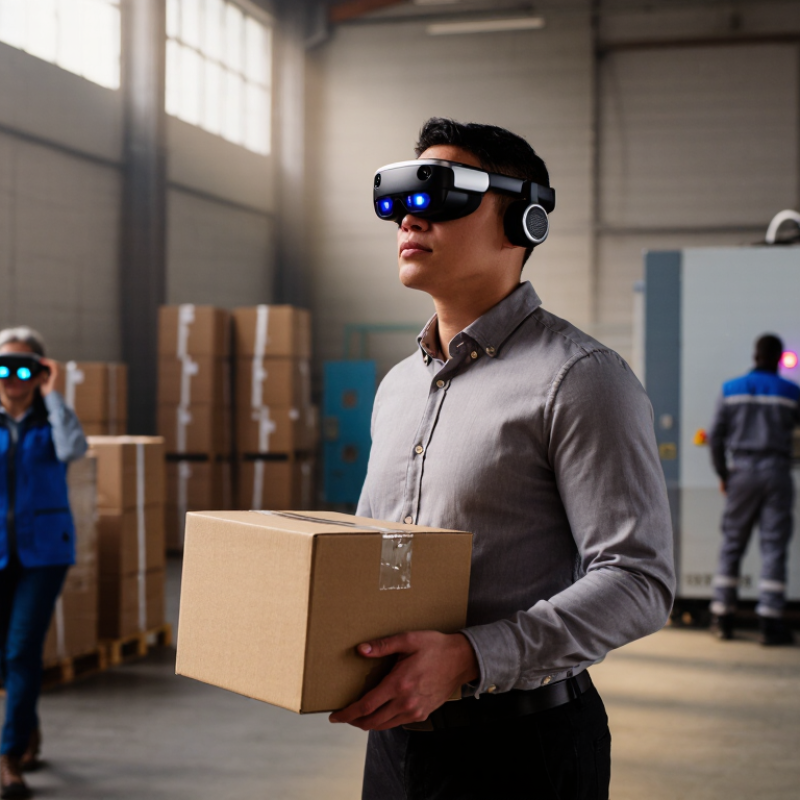
Why Choose Object Recognition Smart Glasses?

What Are Object Recognition Smart Glasses?

Object recognition smart glasses are wearable devices that use cameras, sensors, and artificial intelligence to identify nearby objects. They may recognize a cup, doorway, tool, sign, or person’s clothing. The glasses then provide information through spoken prompts, visual overlays, or gentle vibrations. Some models process data on the device, while others require a secure connection to another computer or service.

In practical use, a wearer might point toward a kitchen counter and hear, “Bottle ahead, slightly right.” In a training room, the glasses could identify parts on a workbench. In outdoor settings, they may describe doors, steps, or signs. These details can support accessibility, workplace learning, and hands-free tasks. Clear feedback matters. A delayed message can be confusing.

The technology is useful, but it is not perfectly reliable. Poor lighting, blocked objects, unusual shapes, and crowded scenes can produce incorrect results. The system may call a small box a book. Users should verify important information with their own senses or trusted guidance. Privacy also needs careful attention, because cameras may capture bystanders or private spaces. Responsible use requires visible recording indicators, limited data collection, and clear permission practices. Recognition is assistance, not certainty.

How Object Recognition Technology Works in Smart Glasses

Object recognition smart glasses turn visual information into timely guidance. Their core process begins with a miniature camera capturing the wearer’s surroundings. A processor then removes image noise, adjusts lighting, and separates objects from the background. The system compares visual patterns with trained models. It may identify a chair, a doorway, a package label, or a safety sign.

The result is not a simple label. The software assigns confidence scores to each detection. If confidence is low, the glasses can ask for another view or avoid speaking. Depth sensors estimate distance, while optical character recognition reads printed words. Edge processing can reduce delay because images do not always need to leave the device.

Grand View Research estimated the global computer vision market at USD 20.31 billion in 2023, with strong growth expected through 2030.
This investment supports better sensors, smaller processors, and more efficient recognition models.

Latency matters. A warehouse worker may see “door” in the display, then hear a short audio cue. In a crowded room, however, similar shapes can confuse the model. Lighting changes remain difficult. A 2024 Stanford AI Index report also showed how rapidly AI hardware performance and efficiency are improving, but faster hardware cannot remove every data bias.

Developers should test recognition accuracy across distances, colors, weather, and accessibility needs. The technology is promising, yet imperfect. That limitation deserves honest attention.

Key Features and Practical Uses of Object Recognition Glasses

Object recognition smart glasses combine a small camera, visual processing, and audio or display feedback. They identify common objects, read selected text, and describe nearby scenes. Some models also recognize colors, doors, signs, and household items. Performance depends on lighting, camera position, software quality, and the user’s distance from an object.

For people with limited vision, these glasses can support daily tasks. A spoken prompt may identify a cup on a kitchen counter or locate a chair in a quiet room. Workers can check labeled boxes without stopping their routine. Students may use text recognition for printed notes, while travelers can receive help with signs in unfamiliar places. Hands-free guidance feels practical when both hands are occupied. Small details matter.

Reliable use requires careful judgment. Recognition can fail with glare, crowded backgrounds, unusual objects, or unclear labels. The glasses should support decisions, not replace human attention. Users also need clear consent before recording people or private spaces. In professional settings, secure data handling and accurate testing are essential. I have found that short prompts are easier to understand than constant descriptions, though preferences differ. These devices are useful, but not perfect. Better results often come from patient positioning, sufficient light, and checking important information independently.

Why Choose Object Recognition Smart Glasses? - Key Features and Practical Uses of Object Recognition Glasses

Evaluation Dimension Typical Capability Practical Value Important Consideration
Object identification Uses a camera and computer-vision software to identify common objects, tools, products, signs, and surroundings. Provides hands-free visual assistance during inspection, navigation, training, and inventory tasks. Accuracy depends on lighting, camera angle, object visibility, software quality, and the recognition model.
Hands-free operation Voice commands, touch controls, or gesture input can allow users to request information without holding a phone. Supports workers who need both hands for maintenance, assembly, logistics, or field service. Voice interaction may be affected by machinery noise, accents, connectivity, and privacy requirements.
Information display Displays labels, prompts, translated text, alerts, or step-by-step instructions in the user’s field of view. Reduces the need to look down at a separate device and can shorten routine decision-making steps. Text readability varies with display brightness, field of view, font size, sunlight, and the user’s vision.
Real-time guidance Can combine recognized objects with digital instructions, checklists, or contextual warnings. Useful for equipment setup, quality checks, warehouse picking, and employee training. Guidance should supplement, not replace, approved procedures, qualified supervision, or safety controls.
Text and label recognition Optical character recognition can read selected printed labels, serial numbers, signs, and short documents. Helps with product lookup, multilingual support, asset identification, and data entry. Small, damaged, curved, handwritten, or poorly lit text may be misread and should be verified.
Accessibility support May convert visual information into spoken descriptions, enlarged text, or high-contrast prompts. Can assist people with low vision or users who benefit from auditory and visual cues. It is an assistive tool rather than a substitute for professional accessibility equipment or support.
Connectivity May use Wi-Fi, Bluetooth, cellular networks, or a paired mobile device to process data and access applications. Enables cloud-based recognition, remote assistance, software updates, and system integration. Performance can decline in weak-signal areas; offline functions are valuable for remote or restricted environments.
Battery and operating time Operating time varies by camera use, display brightness, wireless connectivity, processing method, and battery capacity. A replaceable battery or charging plan can support longer shifts and continuous field work. Actual runtime should be tested under the intended workload instead of relying only on standby figures.
Durability and comfort Work-oriented designs may include impact-resistant materials, adjustable fit, and protection against dust or moisture. Improves usability in warehouses, workshops, construction areas, and outdoor inspections. Protection ratings, temperature limits, weight, lens compatibility, and safety certification must be checked for each workplace.
Remote collaboration A camera stream can allow an authorized specialist to view the user’s perspective and provide live instructions. Reduces travel for troubleshooting and supports faster knowledge transfer between field teams and experts. Requires stable connectivity, user consent, secure access controls, and clear recording policies.
Privacy and data protection Cameras and microphones can capture people, workplaces, documents, and sensitive operational information. Clear indicators, permissions, data minimization, and controlled storage help support responsible deployment. Organizations should follow applicable privacy laws, workplace policies, consent requirements, and cybersecurity practices.

Benefits for Accessibility, Safety, and Workplace Efficiency

Object recognition smart glasses can turn visual information into timely audio or text cues. This matters for accessibility. The World Health Organization’s World Report on Vision estimates that at least 2.2 billion people live with near or distance vision impairment. In practice, glasses could identify a doorway, read a package label, or distinguish a warning sign. A worker may hear “forklift approaching” while carrying materials. Small details matter.

Safety benefits require careful testing. The U.S. Bureau of Labor Statistics recorded 5,283 fatal work injuries in 2023. Recognition glasses cannot replace training, barriers, or human judgment. They may provide an extra alert in warehouses, laboratories, and maintenance areas. Yet glare, dust, accents, and poor lighting can reduce accuracy. That weakness deserves honest attention. A missed object could create false confidence.

Workplace efficiency is another reason to consider them. McKinsey Global Institute reported that employees can spend about 19% of their workweek searching for information. Hands-free visual guidance may reduce repeated label checks, manual lookups, and device handling. A technician could see a machine part and receive the relevant inspection step immediately. Accessibility and productivity can overlap. Still, deployment should include user training, accessibility testing, and clear data controls. The best system supports people without making decisions for them.

Why Choose Object Recognition Smart Glasses?

Object recognition smart glasses can provide hands-free visual cues, identify surrounding objects, and support safer, more independent decision-making. The chart below presents global accessibility and workplace-safety indicators that help explain the potential value of this technology.

In 2023, the World Health Organization estimated that at least 2.2 billion people live with near or distance vision impairment, including approximately 1 billion cases that could have been prevented or remain unaddressed. The International Labour Organization reported nearly 3 million work-related deaths each year. Object recognition glasses may help users interpret visual information, recognize hazards, and complete tasks more efficiently, although results depend on the user, environment, and implementation.

Sources: World Health Organization and International Labour Organization. Values are shown in millions on a logarithmic scale because the reported measures differ substantially.

Factors to Consider When Choosing the Right Smart Glasses

Why Choose Object Recognition Smart Glasses?

Factors to Consider When Choosing the Right Smart Glasses

Choosing object recognition smart glasses starts with the task, not the frame. In practical trials, recognition accuracy changes with lighting, distance, motion, and object similarity. Ask for verified performance data, not impressive demonstrations. Test familiar items in a hallway, warehouse, or busy street. Then repeat the test under dim light. Small errors matter.

Comfort deserves equal attention. Glasses should sit securely without pressing the nose or temples. Check total weight, lens clarity, field of view, and controls with one hand. Battery life should cover a normal work period, including camera use and wireless connections. Voice feedback must remain clear beside traffic or machinery. If alerts are slow, the device may create frustration rather than useful awareness.

Privacy and data handling need careful review. Confirm when images are captured, where processing occurs, and how long records remain stored. Choose clear user controls and documented security practices. Also examine update support, repair options, accessibility settings, and compatibility with existing workflows. No device is perfect. My own testing would include a week of daily use, because a short demonstration can hide heat, fatigue, and missed detections. That limitation deserves honesty.

FAQS

How do object recognition smart glasses identify nearby items?

A miniature camera captures the surroundings. The processor reduces noise, adjusts lighting, and separates objects from backgrounds. Trained models may recognize chairs, doorways, labels, or warning signs.

What happens when recognition confidence is low?

The system assigns a confidence score to each detection. If confidence drops, the glasses may request another view or stay silent. Silence can be safer than a wrong alert.

Can these glasses read printed words?

Yes, optical character recognition can read labels, signs, and short instructions. For example, a worker might scan a package label without holding another device. Small or blurry text remains difficult.

How can smart glasses support accessibility?

They can convert visual details into audio or text cues. A wearer may hear “doorway ahead” or receive help reading a warning sign. Useful support, not a complete solution.

Can object recognition improve workplace safety?

The glasses may provide alerts about nearby equipment, barriers, or approaching vehicles. A worker could hear a brief warning while carrying materials. They cannot replace training, physical safeguards, or human judgment.

How can smart glasses improve workplace efficiency?

Hands-free guidance may reduce repeated label checks and manual information searches. A technician could view a machine part and receive its inspection step. The benefit depends on accurate and timely instructions.

What conditions can reduce recognition accuracy?

Dim lighting, glare, dust, motion, and similar-looking objects can confuse the system. Distance and weather also matter. Fast hardware cannot remove every bias.

What should people check before choosing smart glasses?

Test recognition in bright and dim hallways, busy work areas, and outdoor spaces. Check comfort, weight, field of view, battery life, audio clarity, and one-handed controls. A short demonstration can hide heat and fatigue. Try a full week instead.

Conclusion

Object recognition smart glasses are wearable devices that use cameras, sensors, and intelligent software to identify objects, text, surroundings, and visual patterns in real time. By processing visual information and converting it into spoken descriptions, audio signals, or display-based guidance, they help users better understand their environment. These glasses can support everyday activities such as recognizing household items, reading signs, locating products, identifying tools, and receiving hands-free information while working.

The main advantages of object recognition smart glasses include improved accessibility, greater situational awareness, enhanced safety, and more efficient workplace procedures. They may assist people with visual challenges, help workers confirm equipment or instructions, and reduce the need to frequently consult separate devices. When choosing the right model, users should consider recognition accuracy, response speed, battery life, comfort, privacy protection, connectivity, durability, ease of use, and compatibility with existing systems. The best choice should match the user’s specific environment, tasks, and long-term needs.

Evelyn

Evelyn

Evelyn is a professional marketing specialist dedicated to helping customers better understand the company’s products, services, and industry expertise. With a strong background in market research, content strategy, and customer communication, Evelyn combines creative thinking with practical......